Descrição
An advanced schedule will be created to make it easier to manage staff activities. The system will allow blocking specific times and days on the schedule to prevent improper bookings, in addition to sending alert notifications whenever an appointment is made. Customers will be able to book and receive confirmations directly via WhatsApp, making the process faster and more automated. On the home dashboard, a panel will highlight each staff member's day and week tasks, including what is about to start, in progress, and completed, making it easier for the team to follow workflow. The goal is organization, avoiding schedule conflicts, and clearer visibility into each person's workload.
How to use
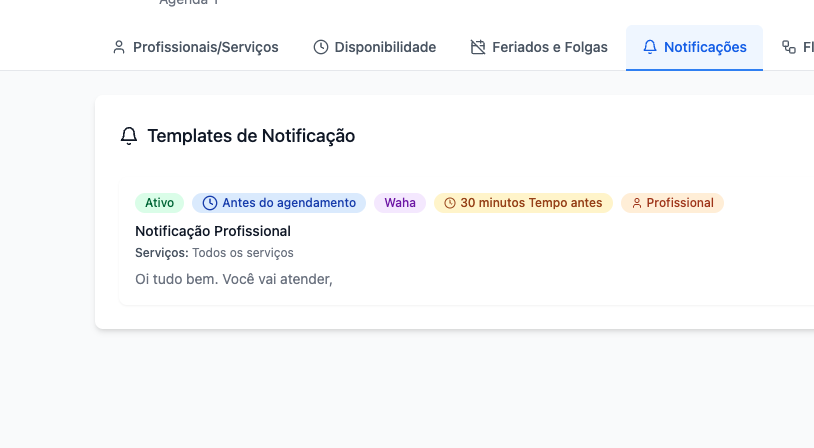
The schedule now notifies the customer and team automatically at each step of an appointment: when it is booked, confirmed, canceled, started, completed, or rescheduled. You can also send a reminder before the time and a message after the session.
How to configure notifications
- Open Schedule → choose the schedule → Notifications tab
- Tap Add template
- Choose when to send (e.g. on booking, on confirm, before the time)
- Choose for whom (customer, professional, or both)
- Write the message and activate the template
In the appointments list
- Use colored counters to quickly see what has not started, what is in progress, what is done, and what was canceled or no-show
- Tap Operational today to see only today's appointments, organized by stage
Full details: docs.interflow.chat/changelog/2026/06/2026.6.8
Progresso
100%Trevisol & Silva Advocacia · 12 de junho de 2026