Descrição
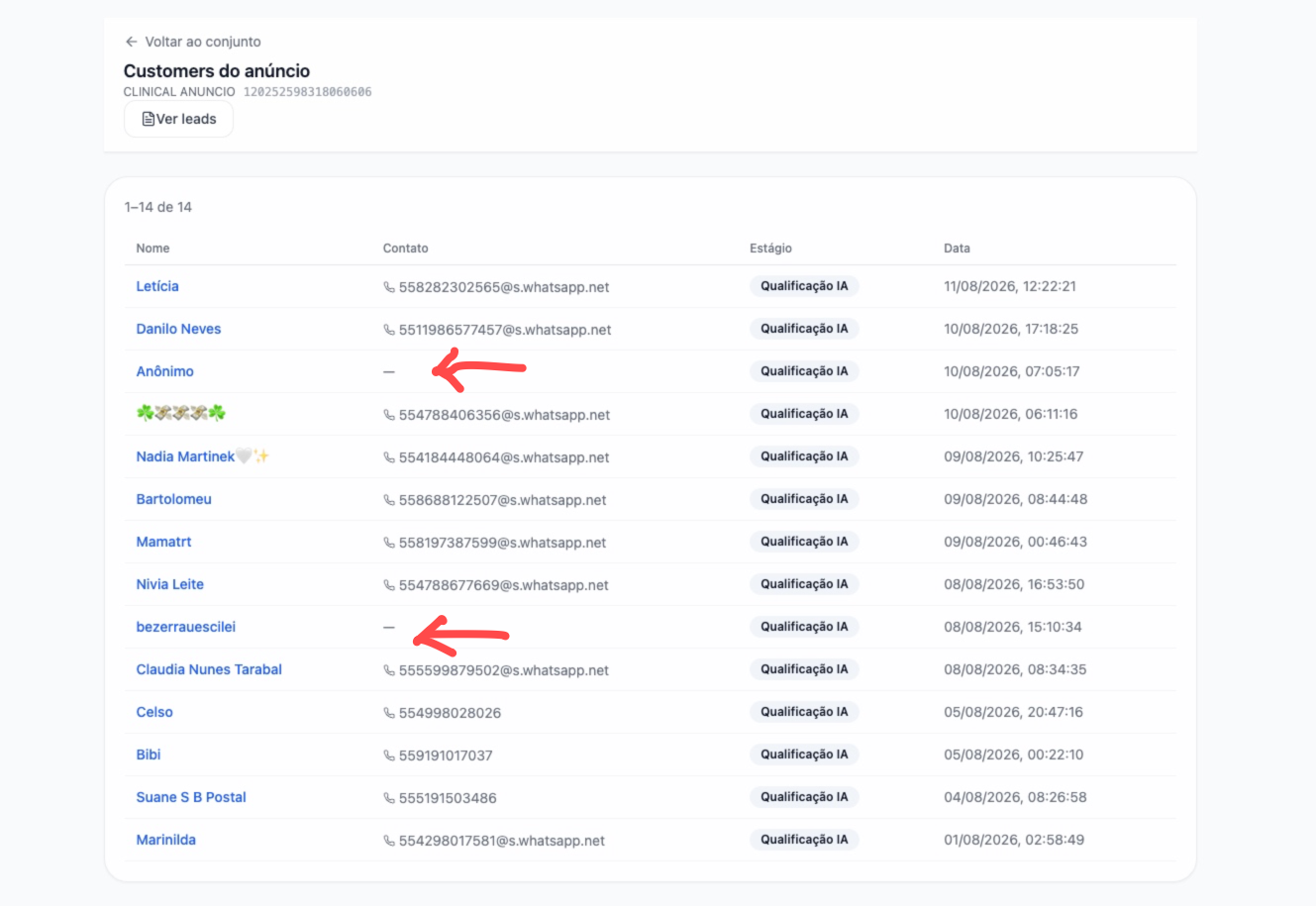
Investigate and fix why some customers' contact numbers are not shown in the "View customers" list when opening an ad in the UTM Tracking menu. Although the number is recorded and available when opening the customer's conversation, it does not appear in that list for all users.
The solution should identify the cause of this inconsistency and ensure the contact number is displayed correctly for all customers both in the list and in the individual conversation.
With the fix, the user can quickly view the contact number of all customers in the list, making it easier to handle and manage interactions originating from ads.
How to use
Contact number in the ad's customer list
When you open an ad in source tracking and choose "View customers", the contact appears for all customers in the list, including when the record only stores the internal WhatsApp identifier (the code ending in @lid).
How it works
- In the Contact column, the system shows the phone when it is already in the record.
- If there is no phone, it shows the
@lididentifier already saved for that customer. - The individual conversation stays the same: the number appears there when WhatsApp has already provided it.
Why it helps Before, some customers were missing from the contact column even with data saved, and the agent had to open each conversation to check. Now you can see the contact directly in the ad list and handle or organize those conversations with fewer back-and-forth steps.
Result for the user Whoever tracks customers from an ad sees everyone's contact in the listing, in the same place where they already saw name, stage, and date.
Progresso
100%Interflow · 18 de setembro de 2026