Descrição
Create a company-wide setting for away messages, complementing the existing individual message for each user when they go offline. The goal is to let the company inform customers even when the conversation is waiting for support or in progress, using rules to define in which situations the message should be sent. The individual offline user message must always take priority over the company-wide setting.
In practice, an administrator accesses this setting in the system and registers the message, choosing the desired channels, applicable support statuses, and whether the conversation has an active flow. It should also be possible to identify a flow that will start for a new contact and use that information as a condition. For example, the company can send a general message in conversations waiting on WhatsApp, as long as the sales flow is planned to start; if the responsible user is offline and has an individual message, that one is sent instead of the general message.
The team can control away communication centrally without losing each user's specific settings. This helps guide customers on different channels and support stages, reduces inappropriate messages, and ensures new contacts get a coherent reply even when there is no conversation in progress yet.
How to use
Company away messages
The company can now automatically notify the customer when nobody is available, without relying only on each agent's message.
How it works
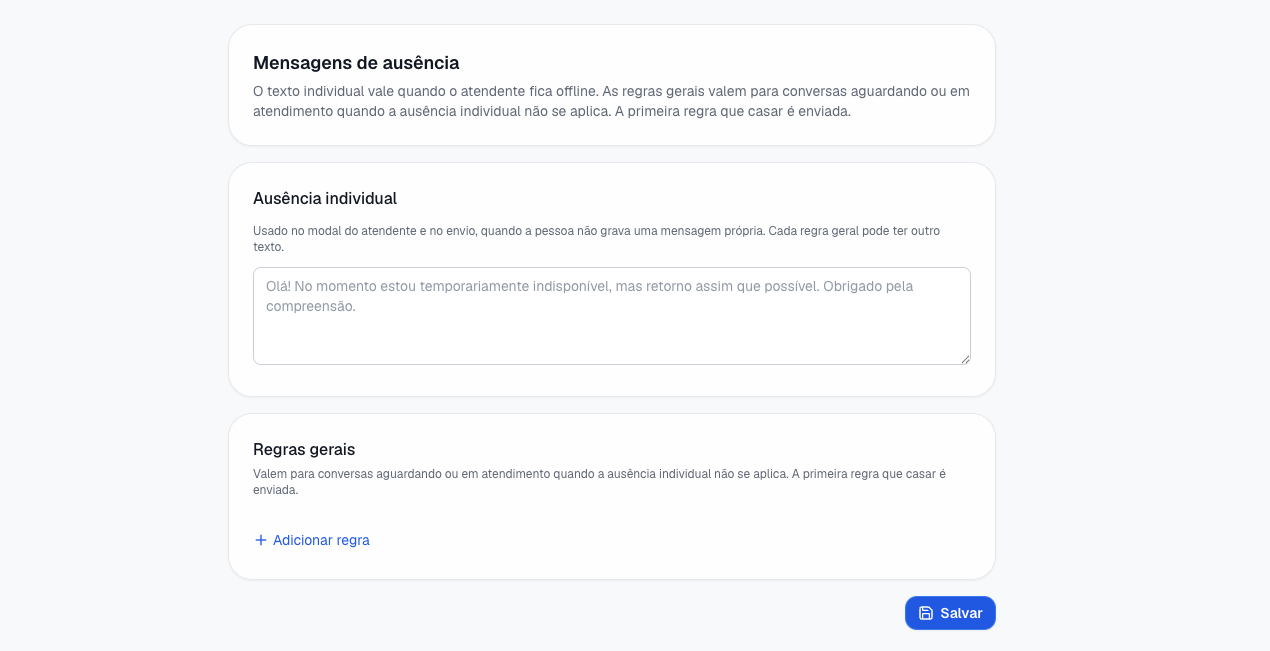
- In Settings, below Teams, the Away messages screen has two blocks: the default text when someone goes offline and the company's general rules.
- The default text applies when the agent marks away and did not record their own phrase. If they record theirs, it applies only to them and takes priority over the company rule.
- Each general rule has its own text. You can choose existing channels (with search), conversation status (waiting, in progress, or both), and whether a flow is running, including when a new contact is about to enter a flow.
- Hours are per day: add Sunday, then Monday, and on each day set one or more intervals, for example midnight to 8 a.m., 11 a.m. to 1 p.m., and 5 p.m. until end of day. The same day does not repeat. The timezone is that of the rule.
- The first rule that matches the conversation is the one sent. Conversations without an agent yet can also receive this notice. The same chat does not get another automatic notice for 30 minutes.
Why it helps The customer no longer goes unanswered outside business hours or when the team is away. The offline agent's message can differ from the company's message, and each channel or day of the week can have its own notice.
Result for the user Away handling is no longer only individual. The company covers waiting and in-progress conversations with channel, status, flow, and schedule, and the offline agent's message still comes first when configured.
Learn more: Changelog v2026.10.8
Progresso
100%Interflow · 06 de outubro de 2026