Descrição
Improve operator management in the Finance menu, within each cashier view. Today you can only add operators, which makes it hard to control and update teams responsible for each cashier.
The proposal is a button to remove operators from the cashier, plus an option to edit permissions for operators already added. Managers get more flexibility to adjust who can access and perform cashier-related actions, making the process safer and more effective.
With this improvement, users can keep the operator list up to date with the right permission levels, giving more control and security in financial management.
How to use
Cashier operator management
In Finance → Cashiers, click the people icon on the cashier you want to manage.
What changed
- The operator list now shows name, email, and action buttons on the same screen, without horizontal scrolling.
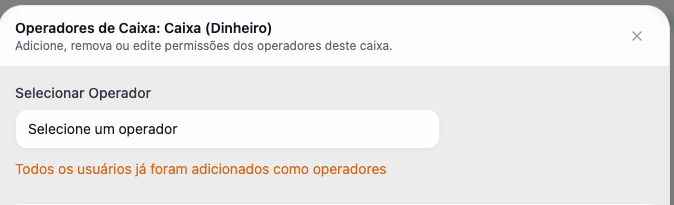
- Adding someone new is done in a separate modal.
- Removing someone asks for confirmation.
- The cashier creator (who created the cashier) cannot be removed.
How to add an operator
- Open the cashier under Manage operators.
- Click Add operator.
- Select the user.
- Define whether they are an administrator or which permissions they have (view, create, edit, delete).
- Click Add.
How to edit permissions
- In the list, click the pencil icon for the operator.
- Adjust permissions.
- Click Save.
How to remove an operator
- In the list, click the trash icon.
- Confirm in the modal.
- The cashier creator and the last administrator cannot be removed (the button is disabled).
Progresso
100%Interflow · 14 de setembro de 2026