Descrição
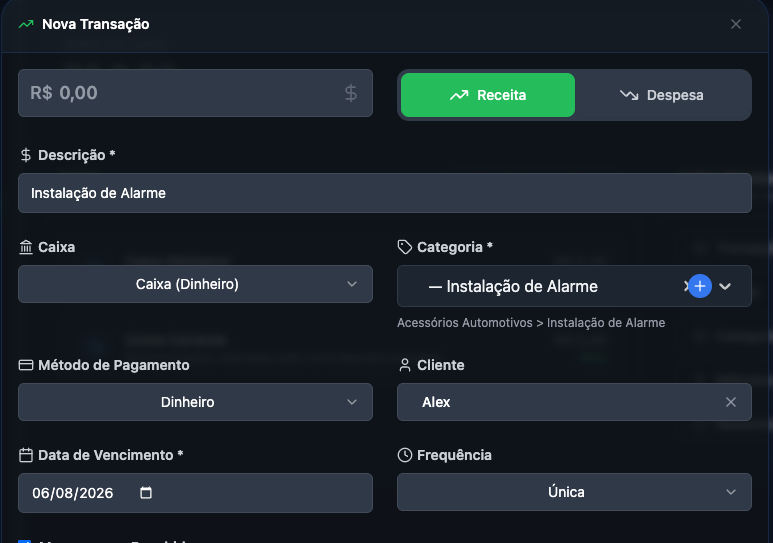
When creating a new expense or income in the financial menu, it would be useful for the entry description to be filled automatically when selecting the financial category. This would help standardize entries and save users time by avoiding manually typing repetitive descriptions.
The behavior would be simple: each financial category would have an associated default description. When the user selects a category while creating an entry, the description would be automatically filled with that information and could be edited if needed.
The expected result is a faster, more standardized, and intuitive financial recording process, reducing errors and increasing user productivity.
How to use
Default description when choosing a category
When creating income or an expense, the entry description can be prefilled when you choose the financial category. You can adjust the text on the spot if you want.
How it works
- In Categories, each category can have a default description for entries.
- When creating income or an expense, selecting the category fills the description.
- If the category has no such text, the system uses the category name.
- If you already edited the description, changing categories does not erase what you wrote.
- When generating categories with AI, each suggestion already includes that phrase, visible in the review before saving.
Why it helps Recurring entries use the same text without retyping every time. Recording is faster, more standardized, and less likely to get different descriptions for the same category.
Result for the user Recording income and expenses is faster and more intuitive, and the description remains editable when you need a different detail.
Learn more: Changelog v2026.10.3
Progresso
100%Interflow · 21 de setembro de 2026