Descrição
Implement a feature that automatically records all important lead movements, creating a detailed timeline so managers can follow the support process. When the broker contacts the customer outside Interflow, especially on personal WhatsApp, the system records that action automatically. After that external contact, the broker must add feedback describing the conversation so every support step is documented. Managers can access this timeline, viewing each action and feedback, making it easier to monitor and evaluate broker performance along the customer journey.
How to use
Lead Timeline — User guide
What changed?
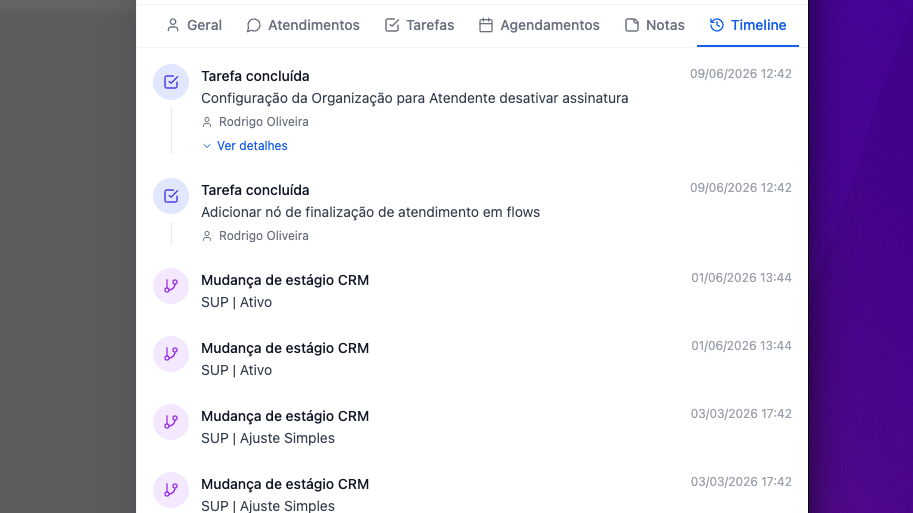
Interflow now automatically records each customer’s main movements and builds a timeline with everything that happened in support. Managers and brokers can see, in one place, what was done, when, and by whom.
For brokers
When talking to the customer on personal WhatsApp
If you use the WhatsApp button inside the case in Interflow:
- The system records on its own that you contacted the customer externally.
- WhatsApp opens normally for you to chat.
- When you return to Interflow, a screen asks for a summary of the conversation.
- You must fill in:
- a short summary (e.g. “Follow-up on proposal”);
- what was discussed with the customer.
- Only after sending that summary can you continue the case in chat.
Why? So nothing stays only in memory or on personal WhatsApp — everything is recorded on the customer journey.
What goes on the timeline
Besides external contact and your summary, the system also records automatically things like:
- pipeline stage changes;
- cases opened and closed;
- notes added;
- tasks created or completed;
- appointments.
For managers
How to follow the customer journey
- Open any customer record (from the list, pipeline, or case).
- Click the Timeline tab.
- See the full timeline: each action, date, owner, and when applicable the broker’s summary after external contact.
This lets you:
- understand how support evolved;
- see whether the broker documented conversations held outside Interflow;
- evaluate team performance based on real history, not only what appears in official chat.
Managers see history for the whole team. Brokers mainly see their own actions on the customer journey.
Progresso
100%Aprova Casa · 11 de junho de 2026