Descrição
Implement the ability to associate a silent flow with each main schedule action, such as confirming, starting, completing, and canceling an appointment. This is needed to automate internal or external processes at each service stage without direct communication with the customer.
The administrator can define, in the general schedule settings, which silent flow runs for each action. When any of these actions occurs, the system silently runs the associated flow, enabling integration with automations, records, or internal notifications.
End users gain more flexibility and control to customize automations according to service progress, making daily work more efficient without exposing these actions to the customer.
How to use
Schedule update — internal automations per appointment stage
You can now configure internal automatic actions that run when an appointment status changes — for example when confirming, starting the service, completing, canceling, or marking a no-show.
What does this solve in practice?
- Record internal steps at each service stage
- Update customer information, create tasks, or notify the team
- All without sending a message to the customer — unlike WhatsApp or email notices you already configure in Notifications
Where to configure
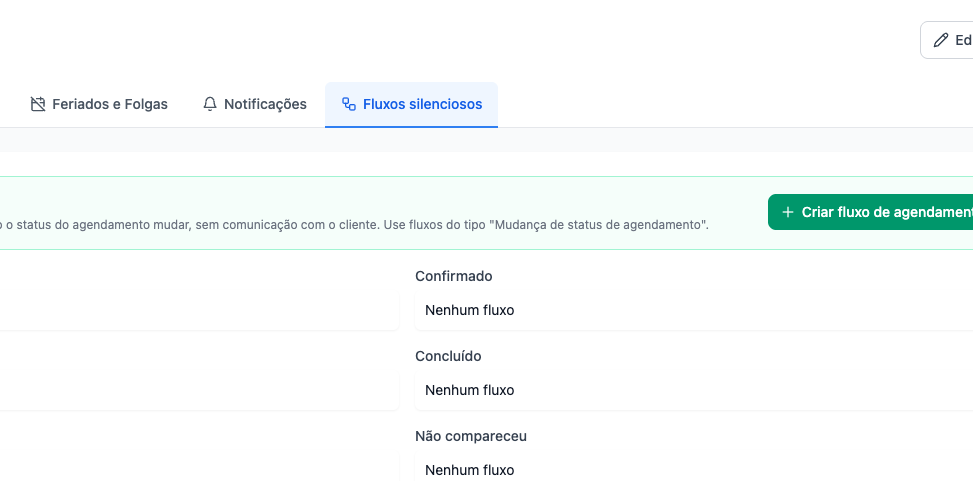
- In Schedule, open the desired schedule and click Manage
- Go to the Silent flows tab
- For each status, choose which internal automation should run (optional)
- To create a new one, use Create schedule flow on that tab
Other improvements in this release
- When changing appointment status (list, arrival queue, check-in, etc.), notices and automations work more consistently
- Recurring appointments and calendar import show a warning: in these bulk operations, status-based notices and automations are not triggered, to avoid excessive sending
Learn more
- Release summary: docs.interflow.chat/changelog/2026/06/2026.6.10
- Full walkthrough: docs.interflow.chat/guide/schedule/silent-flows
Progresso
100%Interflow · 16 de junho de 2026